
Scams & Fraud Prevention — The Complete Guide
Last updated: August 11, 2026
- Key Facts / Takeaways – 10 minutes of delay can break the urgency that many scams rely on.
- One number to keep in mind: 10 minutes .
- – Wait 10 minutes before sending anything.
- “Your account will close.” “You will be arrested.” “The offer expires in 10 minutes.” Urgency is useful to criminals because it cuts off verification.
Quick Answer: For scams & fraud prevention — complete guide, the fastest practical protection is to pause, verify through a separate channel, and never share money, codes, or remote access on demand. One number to keep in mind: 10 minutes. That short delay often kills the pressure scams depend on.
Scams & fraud prevention — complete guide is really about slowing the moment down before it turns into a loss. Need the shortest useful answer? Here it is: slow the exchange, verify the person through a separate channel, and never hand over money, codes, or remote access just because a message feels urgent. I write about scams & fraud prevention — complete guide because most losses happen in the same handful of ways, and those patterns are learnable.
Key Facts / Takeaways
– 10 minutes of delay can break the urgency that many scams rely on.
– 1 separate channel is enough to verify most suspicious requests.
– 2 sources I trust for basics are the FTC and the UK NCSC.
– 3 high-value accounts to protect first are email, banking, and your mobile phone account.
– 4 common scam signals are urgency, secrecy, unusual payment, and a mismatch in details.
– 5 layers help most: verify, pause, use strong account protection, limit damage, and report fast.
The Real Difference Between a Scam and Fraud
A scam is the trick; fraud is the crime that follows. That split matters, honestly, because people often search for “fraud prevention” when what they actually need is a way to spot manipulation before any account gets hit.
Usually, a scam starts with deception: a fake invoice, a fake tech-support call, a fake job offer, a bogus investment pitch, or a message that impersonates a bank, delivery company, or government office. Fraud is the unauthorized or dishonest use of your money, identity, card, account, or credentials. One click can flip a scam into fraud in seconds if you pay, share a code, install software, or approve a transfer.
The practical takeaway is simple. I would not treat this as a problem of “bad luck” or “smart criminals only.” Most successful scams depend on predictable human reactions: urgency, fear, flattery, embarrassment, and confusion. If a message makes you feel hurried, isolated, or ashamed, that is a warning sign, not a personal failing. If you are unsure, consult a professional, your bank, or a trusted consumer-protection source before acting. The FTC’s consumer fraud guidance at https://consumer.ftc.gov/ and the UK National Cyber Security Centre’s phishing advice at https://www.ncsc.gov.uk/collection/phishing-scams are good starting points.
The best prevention is not one magic tool, and it is usually not one action either. It works in layers:
1. Verify using a source you found yourself.
2. Pause before acting.
3. Use strong account protection.
4. Limit how much damage any single account can do.
5. Know where to report it quickly.
If you want a trustworthy starting point, I would also keep these two resources bookmarked: the U.S. Federal Trade Commission’s consumer fraud guidance at https://consumer.ftc.gov/ and the UK’s National Cyber Security Centre advice on phishing at https://www.ncsc.gov.uk/collection/phishing-scams. Both are practical, plain-language references. For broader guidance, the FBI’s IC3 complaint portal at https://www.ic3.gov/ is also useful if a scam reaches the fraud stage.
Common Scam Types and What Each One Is Really After

The easiest mistake is assuming every scam is after the same thing. They are not. Some want your money now. Some want credentials for later. Some want enough identity data to open accounts in your name. Once I started grouping scams by goal, the warning signs became much clearer.
Here are the main categories I would watch for:
1. Payment scams.
These push you to send money directly: bank transfer, wire, gift card, payment app, crypto, or “refund” manipulation. The goal is speed. If the money is sent in a way that is hard to reverse, the scammer wins.
2. Account takeover scams.
These aim for login details, one-time codes, or password resets. A phishing page, fake support agent, or SIM-swap attempt can be used to seize your email, bank, or social accounts.
3. Identity theft scams.
These seek personal data: Social Security or national insurance numbers, dates of birth, addresses, scans of ID documents, and account numbers. The payoff may be opening credit, filing false tax claims, or taking over existing accounts.
4. Tech-support and remote access scams.
These rely on panic. You are told your device is infected, your cloud account is at risk, or your money is in danger. The real target is your computer or phone screen, because once a criminal has remote access, they can move quickly.
5. Romance, friendship, and relationship scams.
These are slow-burn social engineering attacks. They build trust first, then invent a crisis, travel problem, medical bill, or investment opportunity.
6. Job and marketplace scams.
These prey on people who want work or a good deal. Fake employers ask for upfront “training” fees or personal data. Marketplace scammers may overpay, send fake receipts, or ask you to move the conversation off-platform.
The generic article gets one thing wrong here: it treats all scams as if they live in email. They do not. I would treat text messages, voice calls, social DMs, invoice attachments, online ads, and search results as equal risk surfaces. A scam is not defined by the channel. It is defined by the request. If the request seems unusual or high-stakes, consult a professional or a trusted source before you respond. That math stops working fast when you assume the channel tells the whole story.
How I Spot a Scam Before It Becomes a Loss
The quickest way to lower your risk is to train yourself on the ask. Every scam has one. It wants a transfer, a code, a password, a click, a callback, a download, or a sense of trust it can spend later.
My rule is straightforward: if the message creates urgency, requests secrecy, or adds pressure to bypass normal process, I assume it may be fake until I prove otherwise. That is not paranoia. It is a useful default.
The four warning signs I would never ignore
1. Pressure to act now.
“Your account will close.” “You will be arrested.” “The offer expires in 10 minutes.” Urgency is useful to criminals because it cuts off verification.
2. A request to move off the normal path.
A bank asks you to confirm by clicking a link in a message? I would not. I would open the app or type the bank’s address myself. A seller wants to switch to private chat? That often removes protections.
3. An unusual payment method.
Gift cards, crypto, bank transfers, payment apps to strangers, and “reverse payment” claims are all high-risk. If someone insists on one of these, pause.
4. A mismatch in details.
Small errors in domain names, sender addresses, logos, grammar, formatting, or reply behavior often reveal the scam. But I would not rely on typos alone. Some scams are polished.
The verification habit that catches most scams
Do not use the contact method in the suspicious message. Use a known-good route instead. If a bank emails you, call the number on the back of your card or open the official app. If a shipping company texts you, go to the company site yourself. If a friend or coworker asks for help, call them on the number you already have.
That one habit stops a lot of losses because it removes the scammer’s control over the conversation.
I also think it helps to stop seeing “verification” as a big task. It can be tiny:
– Re-type the web address yourself.
– Check the sender domain carefully.
– Call back using a saved number.
– Ask a second person to look at the message.
– Wait 10 minutes before sending anything.
Ten minutes is not a security feature by itself. It is a speed bump, and speed bumps save money. For a high-value request, the safer choice is to verify through your bank, employer, or platform before you send anything.
Fraud Prevention at Home and at Work

Fraud prevention gets much easier when you think in systems, not in single incidents. The question is not just “Can I spot one scam?” It is “How much damage can one mistake do?”
At home, I would focus on the accounts that can unlock everything else:
– Primary email
– Banking and payment apps
– Mobile phone account
– Cloud storage
– Password manager
– Tax and government portals
If a criminal gets your email, they can often reset passwords elsewhere. If they control your phone number, they may intercept codes. If they access cloud storage, they can collect identity documents and personal data for the next fraud attempt.
The home setup I would choose
- Use a password manager so each account has a unique password.
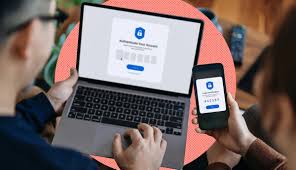
- Turn on multi-factor authentication, preferably with an authenticator app or security key rather than SMS where possible.
- Keep recovery email and phone details current.
- Review bank and card alerts so you notice new payees, failed logins, or unusual transactions.
- Limit what you store in email and cloud folders. Sensitive scans should not sit in a random inbox.
There is a trade-off here: stronger authentication and tighter account controls can make everyday access a little less convenient. To be fair, I think that inconvenience is worth it for accounts tied to money or identity. I would not make everything frictionless if the cost is a higher fraud risk.
The workplace version
At work, the main danger is business email compromise and invoice fraud. A finance team receives a “changed bank details” email. A manager gets an urgent request from the CEO. A contractor sends a new payment link. These scams work because they imitate routine business behavior.
A sensible office process should include:
– Call-back verification for payment changes
– Two-person approval for transfers
– A printed or logged exception process for urgent requests
– Clear rules about sending payroll, tax, or vendor changes
– Security training that uses real examples, not generic fear
The generic article often says “train employees.” Too vague. I would train people on specific, repeated behaviors:
– Verify any banking change out of band.
– Never trust a request just because it came from a senior person.
– Treat “secret, urgent, and unusual” as a red flag.
– Report near-misses without blame.
A blame-free reporting culture matters because people hide mistakes when they are afraid. Hidden mistakes become larger losses. If a finance or security issue looks complicated, consult a qualified professional before taking action.
The Honest Side-by-Side: Consumer Habits vs. Security Tools
Need a real prevention plan? You need both. Good habits stop most scams. Security tools reduce the blast radius when a scam gets through. I would not choose one and ignore the other.
| Criteria | Consumer habits | Security tools | Winner for [condition] |
|---|---|---|---|
| Stops phishing before it works | Strong, if you verify via a separate channel | Helpful, but some malicious messages still land | Consumer habits for suspicious messages |
| Stops account takeover | Moderate, if you never share codes | Strong, if you use MFA and unique passwords | Security tools for login protection |
| Reduces damage after a mistake | Limited | Strong, with alerts, locks, and recovery options | Security tools when one account is critical |
| Prevents invoice or payment fraud | Strong, if you verify payment changes manually | Limited | Consumer habits in business payments |
| Protects against remote-access scams | Strong, if you refuse installation requests | Limited unless endpoint controls exist | Consumer habits for home users |
| Catches suspicious transactions quickly | Weak unless you check statements often | Strong, with real-time alerts | Security tools for monitoring |
| Easy for non-experts to maintain | Moderate | Varies; can be confusing at first | Consumer habits for simplicity |
| Works against social-engineering pressure | Strong, because it changes behavior | Weak, because tools cannot think for you | Consumer habits under pressure |
| Best for shared households or teams | Needs discipline from everyone | Can centralize protection better | Security tools for shared environments |
My view is plain: habits win on first-contact scams, tools win on damage control. If I had to pick only one, I would pick habits first because most fraud starts with a decision the victim makes in the moment. But I would not stop there. I would pair habits with account alerts, MFA, password managers, credit monitoring where appropriate, and device security updates.
A generic guide often overstates the value of antivirus alone. Antivirus is useful, but it is not a fraud prevention plan. It will not save you from a convincing phone call, a fake invoice, or a transfer you approved yourself. For guidance on account protection, I would also check the FTC’s advice on impersonation scams and the NCSC’s phishing examples before you decide what layer to add next.
Consumer Habits: Who Should Actually Use This
Consumer habits are the right answer for most people because most scams succeed by getting a person to act. That means your first defense should be behavioral, not technical.
I would recommend this approach to:
– Anyone who handles email, banking, shopping, or social media
– Parents helping teenagers and older relatives
– Freelancers and small business owners without dedicated security staff
– People who are not especially technical but can follow a process
The strengths are obvious. This is cheap, fast to start, and effective against the largest share of scam attempts. If you refuse urgency, verify separately, and never share codes, you block a lot of common fraud paths.
The weaknesses are just as real. Habits break under stress. People get tired, distracted, lonely, embarrassed, or rushed. A strong scammer will exploit that. A habit-based approach also depends on everyone in the household or office actually doing the same thing. If one person clicks a fake link or uses the same password everywhere, the whole setup weakens.
I would skip a pure-habits approach if:
– You manage a business with payment approvals
– You keep large balances in connected accounts
– You are often targeted by impersonation attempts
– You share devices or accounts with other people who are not careful
The best version of this approach is simple:
1. Verify payment or identity requests independently.
2. Use unique passwords.
3. Never share one-time codes.
4. Check statements and account activity regularly.
5. Treat any sudden request as suspicious until checked.
That sounds basic because it is basic. Basic is good when the threat depends on you making a fast mistake. If you need help building the habit, a bank, credit union, or certified financial professional can often explain the steps in plain language.
Security Tools: The Specific Situations Where They Win
Security tools win when the problem is scale, repetition, or damage containment. If habits are your seatbelt, tools are the airbags, door locks, and alarm system.
I would use tools when the account matters enough that one slip could be costly:
– Banking and credit cards
– Primary email
– Phone carrier account
– Business payment systems
– Password storage
– Identity and tax portals
The strongest tools are the ones that reduce the chance of a successful takeover or make recovery easier:
– Password managers
– Multi-factor authentication
– Device updates
– Transaction alerts
– Credit freezes or equivalent protections where available
– Security keys for high-value accounts
– Spam and phishing filters
The real strength of tools is consistency. A password manager does not get tired. An authenticator app does not feel embarrassed. A security key does not answer a fake support call. That is the point.
But I would be honest about the drawbacks. Tools can create their own failure modes:
– People lose backup codes.
– Recovery processes become confusing.
– SMS codes can be intercepted or redirected.
– Too many alerts can teach users to ignore them.
– Overreliance on tools can make people sloppy about suspicious messages.
That is why I would not recommend security tools as a substitute for judgment. They are a layer. Not a personality.
If you are deciding where to start, I would choose tools first for your critical accounts and habits first for everything else. That split gives you the biggest payoff without making everyday life miserable. For example, a bank app with real-time alerts can complement a habit of callback verification, and that pairing is often stronger than either one alone.
Our Verdict: Which One to Choose and Why
Choose consumer habits if your main risk is phishing, fake invoices, impersonation, or social-engineering pressure. Choose security tools if your main risk is account takeover, credential theft, or damage after a mistake. Neither if you want a one-time fix; scams are a process problem, not a single-product problem.
My verdict is direct: start with consumer habits, then add tools around the accounts that matter most.
Why habits first? Because the most common scam loss starts with a person doing something they would not do after a pause. If you verify separately, refuse pressure, and never share codes, you stop a large share of attempts before they get expensive.
Why tools second? Because even careful people slip, and some fraud does not depend on a click at all. A strong password manager, multi-factor authentication, account alerts, and credit or identity protections shrink the consequences when a scam lands.
I would especially prioritize this order if you are:
– A parent managing family accounts
– A freelancer or small business owner
– An older adult who gets frequent unsolicited calls or messages
– Anyone who uses the same email for banking, shopping, and recovery
I would reverse the order only if your biggest risk is technical account compromise, such as repeated password reuse, shared devices, or prior takeover attempts. In that case, secure the critical accounts first, then build the habit routine around them.
The one thing I would not do is chase the newest fraud gadget and ignore the basics. Scams keep working because they exploit human behavior, not because
